


Digital Signage Monitor Overheating: Causes, Risks, and Prevention
Digital signage running for long periods in high temperatures may experience monitor overheating, causing an overheated screen, flickering, reduced brightness, or automatic shutdown. Outdoor displays face an additional heat load from direct sunlight, which can cause LCD screen heat damage even when the equipment is off. What causes monitor overheating, and how can an overheated screen be prevented? Understanding the causes and suitable cooling methods helps reduce failures and maintain stable operation.
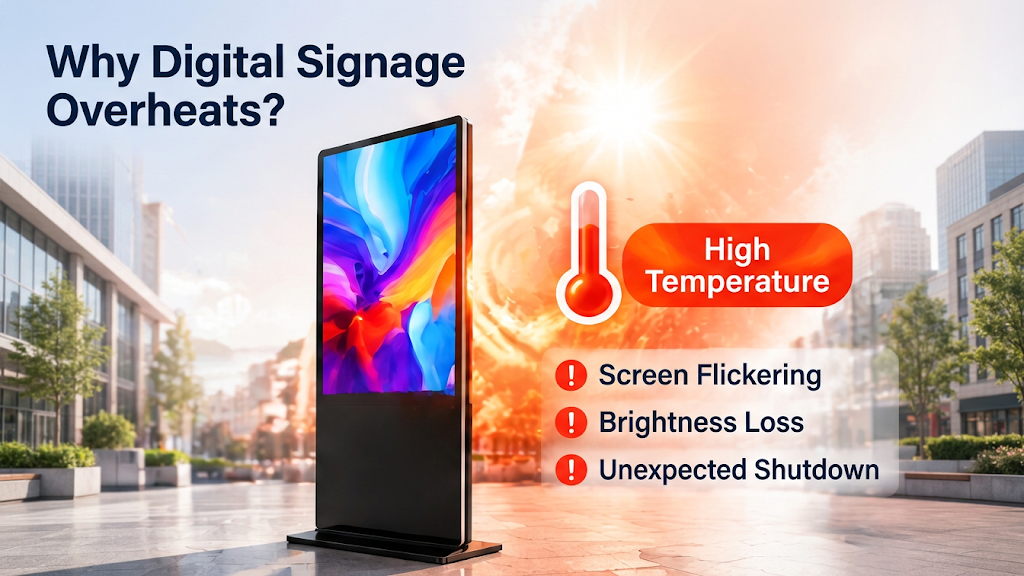
Why Is My Monitor So Hot? Digital Signage Overheating Causes
Heat Generated by Internal Components
During ad playback, the backlight module, power board, and mainboard operate continuously, converting some electrical energy into heat. High-brightness outdoor displays require more backlight power and generate more heat.During extended operation, this heat continues to build. If the cooling system cannot remove it quickly enough, internal temperatures rise, increasing the thermal load on the LCD panel and other electronic components.
Poor Internal Cooling and Ventilation Design
Even with fan cooling or natural convection, poor internal layout can cause localized heat buildup and increase the risk of an overheated screen. Limited enclosure space, insufficient convection channels, and poorly positioned fans or airflow paths can all restrict hot-air removal.In fan-cooled equipment, blocked vents or dirty filters further reduce airflow, making it harder to remove internal heat and increasing the risk of monitor overheating.
High Ambient Temperature
The installation environment also affects cooling performance. Digital signage installed in hot workshops, enclosed spaces, or near heat-generating equipment is exposed to consistently high ambient temperatures.As ambient temperature approaches the temperature of internal components, the temperature difference decreases and heat dissipates more slowly, increasing the risk of monitor overheating.A cup of hot water cools faster in a cool room than in a hot one. Digital signage works similarly: the higher the ambient temperature, the harder it is for the equipment to release internal heat.
Extra heat load caused by direct external sunlight
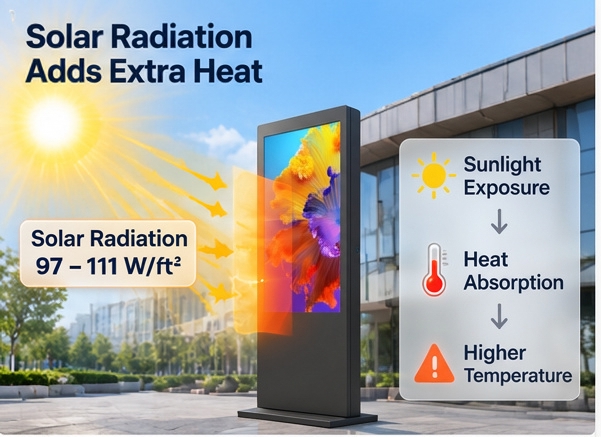
If outdoor digital signage is installed in direct sunlight long-term, the device must handle not only heat from internal components but also extra heat load from solar radiation and LCD screen sun damage. According to Hoffman Pentair electrical enclosure thermal management technical data, peak surface solar radiation in most of the United States is about 97 W/ft², and in dry, high-altitude areas of southwestern United States it may even reach 111 W/ft². This means solar radiation can transfer about 97 to 111 joules of energy per square foot per second to the surface during peak hours.
When the device is exposed to sunlight long-term, enclosure, protective glass, and LCD panel absorb part of solar radiation and convert it into heat, causing screen heat damage. This extra heat increases the device's heat dissipation burden. This is why, at same ambient temperature, outdoor advertising machines exposed to direct sunlight long-term may bear greater heat load than indoor digital signage.
Long-term operation and insufficient maintenance
When digital signage plays ads around the clock, the backlight, power supply, and mainboard continuously generate heat. The cooling system must remain in good working condition to remove this heat.Over time, fans may age and dust may accumulate on filters. Without regular cleaning, dust can block vents and collect on cooling parts and optical components, restricting airflow and reducing cooling efficiency. This increases the risk of monitor overheating and may affect screen display performance.
What Problems Can Digital Signage Overheating Cause?
Problem | Related Symptoms | Commercial and Operational Impact |
LCD Panel Display Abnormalities | Color distortion: High temperatures may affect liquid crystal alignment and optical properties, causing color deviations. | Reduces color accuracy and display quality, weakening the visual impact of advertising and brand presentation. Prolonged LCD heat damage may further affect display performance. |
LED Backlight Performance Degradation | Screen flickering: High temperatures accelerate LED backlight aging and affect lighting stability, causing brightness fluctuations. | Reduces screen readability and advertising effectiveness. LED backlight or driver components may eventually need replacement, increasing repair costs. |
Aging of Internal Electronic Components | Frozen or static images: High temperatures may cause the main board, memory, and other components to malfunction, preventing images from refreshing properly. | Increases the risk of main board and power board failures, shortens component service life, and raises repair and replacement costs. Severe screen heat damage may also result in display failure. |
Unexpected Shutdowns and Higher Maintenance Costs | Automatic shutdown and interrupted playback: When equipment reaches its overheating protection threshold, the system may shut down automatically, interrupting advertising playback. This is a possible consequence of monitor overheating. | Advertising, public information, and way finding services may be interrupted. Multi-location projects may also face higher inspection, on-site repair, and operational management. |
While display issues can sometimes be caused by overheating, not all such anomalies are the result of excessive heat; a precise diagnosis requires evaluating the specific panel and component specifications.
Thermal Management Solutions for Various Operating Environments
Indoor digital signage
Natural convection draws cool air in from the bottom. As it absorbs internal heat, the air becomes lighter and exits through the top, creating continuous airflow. The fanless design eliminates noise and mechanical wear while avoiding active dust intake, reducing maintenance needs.For indoor digital signage with relatively low heat output and limited environmental dust, natural convection provides effective cooling and helps prevent monitor overheating when power consumption matches cooling capacity. It is a practical, low-maintenance solution for noise-sensitive environments.
Semi-outdoor digital signage
Fan-assisted heat dissipation uses forced air cooling mechanism, actively inhales external air through built-in fan, accelerates internal air flow, high-speed airflow quickly flows through heating parts, breaks dead corners of natural convection, thereby effectively reducing local heat accumulation and discharging hot air for overheated screen.For semi-outdoor digital signage facing features of sharp temperature changes caused by direct sunlight and more environmental dust, natural convection alone cannot handle peak heat load for overheated screen. This solution can ensure stable operation and avoid overheating screen.

Outdoor IP55 advertising machine
Outdoor IP55 digital signage faces temperature fluctuations, rain, and dust, requiring reliable cooling. Fan-assisted cooling accelerates internal airflow, removes heat from core components, and reduces local heat buildup.The ventilation structure must work with the dustproof and waterproof design to maintain airflow while limiting the entry of rain and dust. Filters also require regular cleaning to prevent dust buildup from restricting airflow and reducing cooling efficiency.
Outdoor IP65 advertising machine
Outdoor IP65 digital signage faces high temperatures and direct sunlight. Solar radiation adds heat to the LCD panel and enclosure, increasing the cooling load. Air-conditioning cooling helps control the cabinet temperature and protect internal components from excessive heat.An airflow channel between the LCD panel and protective glass also helps manage heat around the front of the screen. Proper temperature control helps maintain stable display performance in demanding outdoor environments.
Enclosed digital signage
Enclosed digital signage lacks an external ventilation channel, making heat dissipation more challenging. Heat generated inside the chassis cannot escape through natural ventilation alone.Internal fans promote forced convection, circulating air around heat-generating components such as the mainboard, power supply, and backlight module to reduce localized heat buildup.
Fan positions and air ducts should be arranged according to the internal heat source distribution, directing airflow toward high-temperature areas and supporting heat transfer to the enclosure.
How can digital signage be prevented from overheating?
Equipment selection: reduce monitor overheating from source
When choosing digital signage, besides screen size, brightness and display effect, also check whether equipment adapts to actual use environment for monitor overheating. For example, whether rated operating temperature range in specification meets local ambient temperature; whether body reserves enough heat dissipation space; whether internal airflow path and heat dissipation structure meet power consumption needs. For long-term or outdoor digital signage, also focus on heat dissipation design and temperature control ability against monitor overheating.

Installation environment: reduce extra heat load and overheated screen
When choosing indoor digital signage, best reduce direct sunlight, place it in airflow environment, and keep installation distance behind equipment, helping stable display performance and heat dissipation, reducing extra heat load on panel, mainboard and parts and overheated screen.When choosing outdoor digital signage, consider not only ambient temperature but also extra heat load from direct sunlight and overheating screen. Note, shutdown does not fully avoid high-temperature damage and overheated screen. invidis field survey of Texas outdoor displays found long-term sunlight exposure, even with LCD screen off, may damage liquid crystal layer from solar radiation heat and LCD screen heat damage.
Therefore, outdoor equipment should be installed in shade, such as building shadow or sunshade, reducing heat load from long-term direct sunlight, overheating screen and LCD screen sun damage. If installation cannot avoid sunlight, choose display suitable for outdoor high-temperature environment, and ensure cooling system works normally by temperature during shutdown and overheat screen.
Daily maintenance: ensure heat dissipation system normal
After long-term operation, dust may accumulate on vents, filters and heat dissipation parts, affecting airflow and efficiency. Especially outdoor or dusty equipment, need regular check of heat dissipation parts for monitor overheating.For fan-cooled equipment, check fan operation for why is my monitor so hot and clean filters and vents. For fanless equipment, keep heat dissipation area clean, avoid blocked ventilation and LCD heat damage.
Temperature monitoring: timely find potential faults
Regular check helps find potential overheating problems and screen heat damage. For long-term or high-temperature digital signage, use temperature sensors or infrared thermal imaging to monitor key internal parts and surface temperature.When temperature keeps rising abnormally, or screen flicker, brightness drop, automatic shutdown appear, timely check and replace heat dissipation system and internal components, avoid fault expansion and monitor overheating fix.
FAQ
1. Can Digital Signage Shut Down Due to Overheating?
A: Yes. Excessive heat may trigger thermal protection and cause automatic shutdown.
2. Can High Temperatures Permanently Damage an LCD Screen?
A: Yes. Prolonged heat exposure can age LCD panels and optical materials, causing irreversible damage.
3. Can a Sunshade Prevent Outdoor Digital Signage from Overheating?
A: It reduces solar heat load, but proper ventilation and temperature control are also needed.
4. Can Overheating Cause Flickering, Ghosting, or Display Lag?
A: Yes. Heat may affect the LCD panel, backlight, and electronics, causing display issues.
5. Can Digital Signage Overheat When Turned Off?
A: Yes. Direct sunlight can heat the enclosure and screen, potentially damaging the LCD layer.
6. Does High Brightness Increase Overheating Risk?
A: Yes. Higher backlight power generates more heat, increasing overheating risk if cooling is insufficient.
Send your inquiry
Name*
Email*
Whatapp
Your Requirements*
Never miss a moment
E-mail*
*


